
Why this OpenClaw guide is useful
This page is for builders searching for OpenClaw official documentation, GitHub references, framework architecture, and the latest 2026 updates before deciding whether OpenClaw fits a personal AI assistant stack.
AI Agent Tools Comparison
See the core OpenClaw guide if you want the main framework page that this article builds on.
Popular OpenClaw Use Cases 2026
See concrete OpenClaw use cases, tutorial-style examples, and practical deployment scenarios.
AI Voice Input Tools 2026
Useful if you want to pair assistant workflows with voice-first note capture and dictation.
type
status
date
summary
tags
category
slug
icon
password
公众号
关键词
小宇宙播客
小红书
数字人视频号
笔记
整个过程大约 5-10 分钟。
Step 2:启动 Gateway
Gateway 启动后,你会看到:
Step 3:配置第一个 Channel
以 Telegram 为例:
1. 创建 Telegram Bot
- 在 Telegram 中找到 @BotFather
- 发送 `/newbot` 创建新 bot
- 获取 Bot Token
2. 配置 OpenClaw
3. 重启 Gateway
现在,你可以在 Telegram 上给你的 bot 发消息了!
Step 4:配置浏览器控制
这是 OpenClaw 最强大的功能之一。
测试浏览器控制:
在 Telegram 上发送:
AI 会:
- 启动浏览器
- 访问 github.com
- 在搜索框输入 "openclaw"
- 截图
- 把截图发回 Telegram
Step 5:创建第一个 Skill
Skills 是 OpenClaw 的插件系统。让我们创建一个简单的天气查询 Skill。
现在,你可以在任何连接的平台上问:
AI 会自动调用你的 `get_weather` Skill,返回实时天气信息。
高级配置:多 Agent 路由
OpenClaw 支持多 Agent 路由,让不同的平台或用户使用不同的 AI 配置。
场景:公司 Slack vs 个人 Telegram
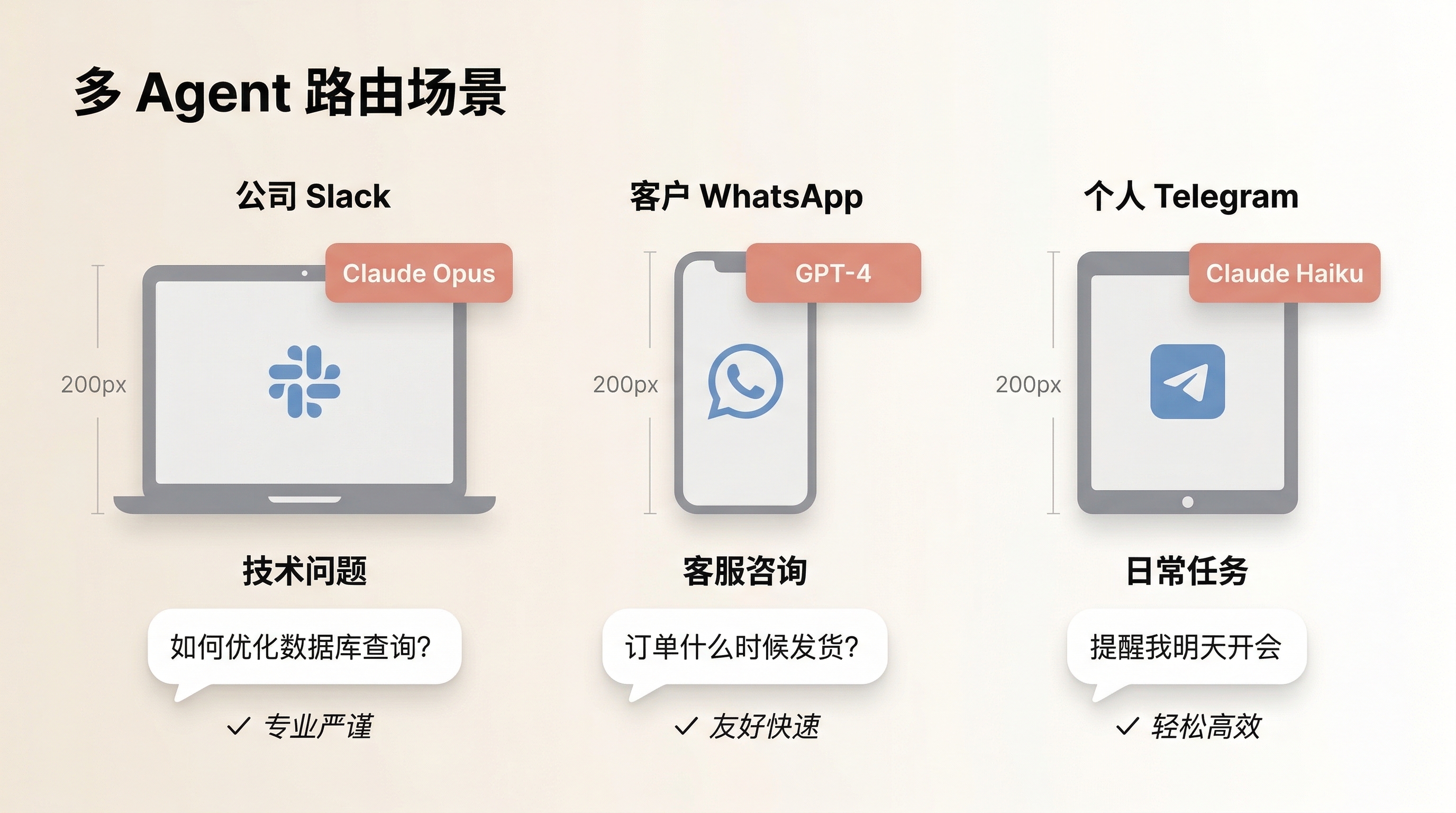
效果:
- Slack 上的消息由 Claude Opus 处理,专业严谨
- Telegram 上的消息由 Claude Haiku 处理,轻松友好
- 成本优化:Haiku 比 Opus 便宜 20 倍
场景:不同用户不同权限
生产环境最佳实践
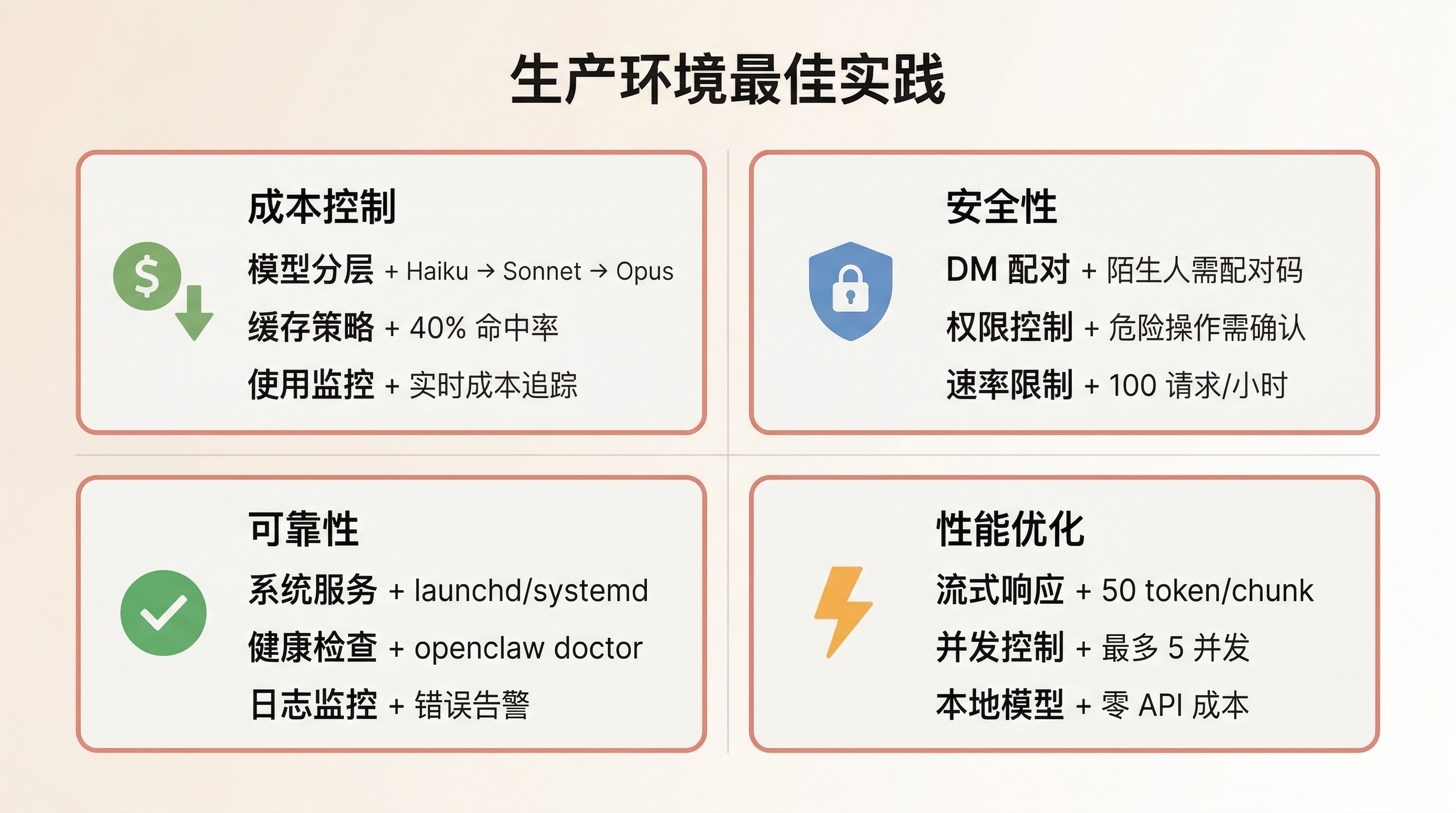
1. 成本控制
问题:AI API 调用成本可能很高,尤其是使用 Opus 或 GPT-4。
解决方案:
A. 模型分层
B. 缓存策略
C. 使用量监控
实际案例:
Emma 的团队每月 AI 成本从 $800 降到 $200:
- 80% 的简单问题用 Haiku($0.25/1M tokens)
- 15% 的中等问题用 Sonnet($3/1M tokens)
- 5% 的复杂问题用 Opus($15/1M tokens)
- 启用缓存后,重复问题命中率 40%
2. 安全性
问题:OpenClaw 连接真实的通讯平台,需要防止滥用。
解决方案:
A. DM 配对机制
B. 权限控制
C. 速率限制
3. 可靠性
问题:Gateway 崩溃或网络中断会导致服务不可用。
解决方案:
A. 系统服务
B. 健康检查
C. 日志和监控
4. 性能优化
问题:大量并发请求可能导致响应变慢。
解决方案:
A. 流式响应
B. 并发控制
C. 本地模型
使用本地模型的优势:
- 零 API 成本
- 无网络延迟
- 完全隐私
劣势:
- 需要强大的硬件(GPU)
- 模型能力不如 Claude Opus/GPT-4
常见问题和解决方案
Q1: OpenClaw 和 ChatGPT/Claude 有什么区别?
核心区别:
| 特性 | OpenClaw | ChatGPT/Claude |