Why this OpenClaw use-case guide is worth reading
This page is for builders searching for OpenClaw use cases, OpenClaw tutorials, or practical workflow ideas. It focuses on how OpenClaw is actually used across personal assistant, automation, and multi-tool orchestration scenarios.
OpenClaw AI Assistant Framework 2026
Start here if you want the framework overview, architecture framing, and official-doc style context.
AI Agent Programming 2026
Useful if you want the broader agent-system design patterns behind these OpenClaw workflows.
AI Agent Tools Comparison
Compare adjacent AI assistant and knowledge-base stacks before choosing your workflow.
MANUAL INQUIRY
Need ClaudeCode or GPT recharge help?
Use the inquiry pages for ClaudeCode, GPT recharge, assisted purchase, and team sourcing.
Automatic payment is not configured. Pricing, region support, and timing are confirmed manually.
The Hottest OpenClaw Use Cases on Reddit: 40+ Real-World Scenarios Fully Explained (2026)
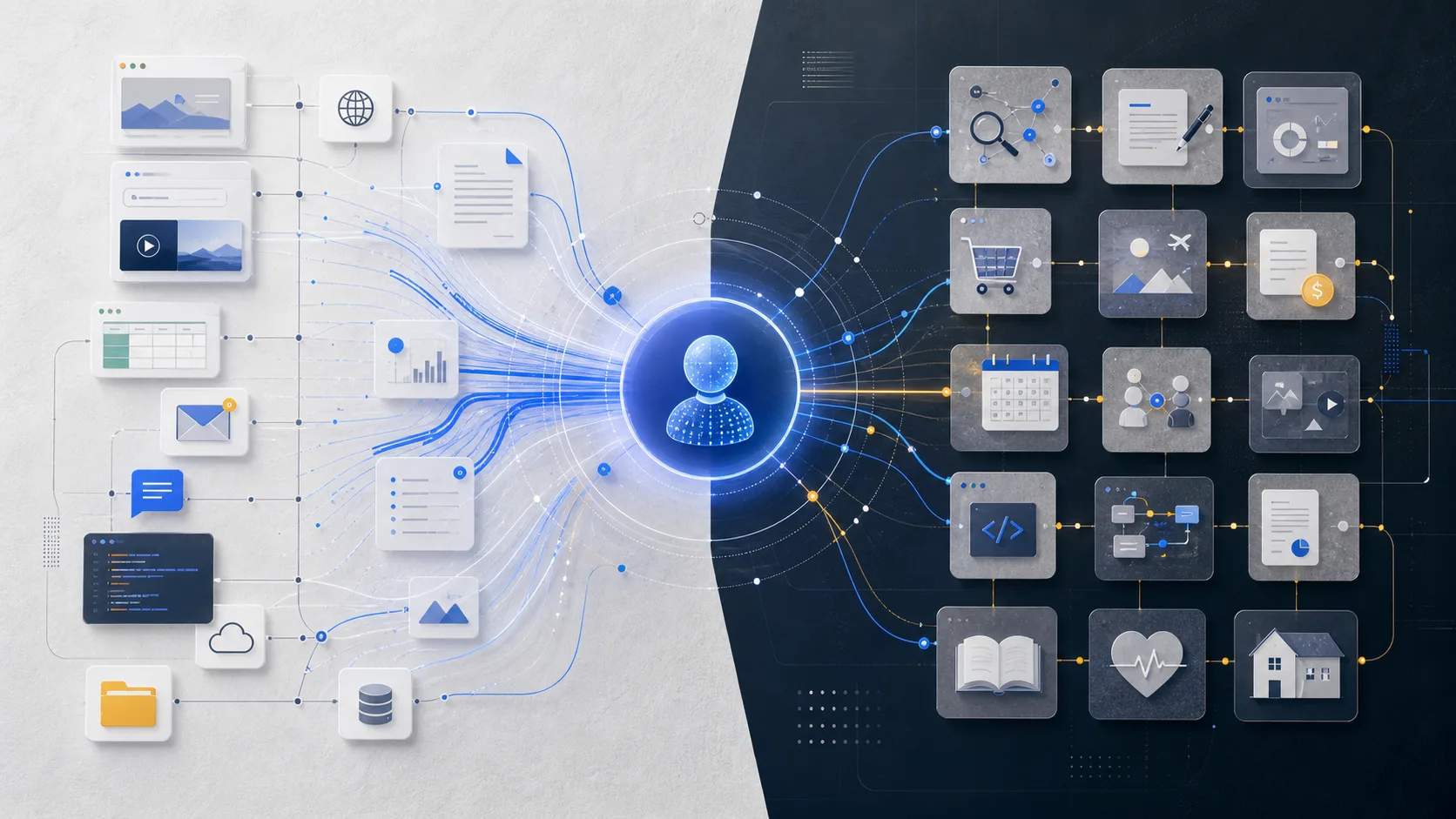
Someone used OpenClaw to autonomously complete an entire game development workflow while they slept — from requirements analysis to code commit, start to finish. Someone else set it up to deliver a customized tech briefing every morning at 7 AM, aggregating 109 sources with quality scoring. Others handed it full control of their company's CRM, project scheduling, and client communications — one AI Agent doing the work of a full assistant.
These aren't demos. These are real workflows shared by community users on Reddit and GitHub. The awesome-openclaw-usecases community repository currently documents 40+ verified use cases, each with detailed architecture explanations and configuration guides. What they all have in common: they've been configured, battle-tested, tweaked, and validated by real users. These aren't theoretically possible — they're already running.
This article categorizes the most popular ones by use case type to help you find the right starting point.
A few things worth noting about this list:
- All use cases come from real community contributions, not official marketing materials
- Every use case has been run in a production environment by at least one person — this isn't theoretical
- Complexity varies enormously — some take 5 minutes to configure, others take a week to dial in
- Use cases can be combined, and the effects stack
- Each use case is labeled with a "Configuration Difficulty" rating to help you find the right entry point for where you are now
If you haven't used OpenClaw yet, this article can help you find your first use case worth trying. If you're already using it, you'll likely find some angles you haven't explored. Either way, the community door is open — asking questions, sharing configurations, and seeing how others solved similar problems on Reddit r/OpenClaw is the fastest way to level up.
---
I. Social Media Automation: The Antidote to Information Overload

The time people burn scrolling Reddit, YouTube, and Twitter every day often exceeds their actual working hours. The first wave of popular use cases in the OpenClaw community was built to solve exactly this problem. The core idea isn't "stop scrolling" — it's "let the Agent scroll for you, and only surface what's actually worth your attention."
The problem with information consumption isn't too little information — it's too much. Every subscription feed, every channel, every subreddit has value in isolation, but combined they exceed what any human can realistically process. Someone in the community put it well: "I don't need more information. I need a better filter." These OpenClaw use cases are fundamentally about building a personalized information filtering system.
This category tends to be the first OpenClaw workflow for new users — the effects are immediately visible, configuration is straightforward, and daily utility is high.
1. Daily Reddit Digest — Let AI Scroll Reddit For You
Your problem: You follow dozens of subreddits, but there's never enough time to go through all of them. Missing important posts is the norm. So is getting sucked in for an hour when you meant to check for five minutes.
What OpenClaw does: The Agent runs on a schedule, crawling your subscribed subreddits and filtering content based on your preferences (keywords, post popularity, comment quality, poster reputation), then generates a structured digest delivered wherever you want — email, Telegram, Discord, all supported.
Dimensions you can customize:
- Which subreddits to monitor, and which get higher weight
- What keywords trigger high-priority flagging
- Digest detail level (title list vs. cards with content summaries)
- Delivery time and frequency
Community feedback: A Reddit user reported their daily Reddit usage dropped from 90 minutes to 15 minutes after setting this up — with better information quality, not worse. This is the classic shift from "active scrolling" to "passive receiving."
Configuration Difficulty: Low. Provide a subreddit list and keyword preferences; the Agent handles everything else.
2. Daily YouTube Digest — Automatic Summaries for Video Content Too
Your problem: You're subscribed to a large number of YouTube channels. Videos are too long to watch all of them, but ignoring them means missing things that matter.
What OpenClaw does: Monitors subscribed channels for new videos → automatically extracts subtitles/transcripts → AI generates key takeaways (3–5 bullet points) → ranks by relevance and quality and delivers them to you. You read the summary, watch the full video only if you're interested, skip it if you're not.
This use case is especially popular among users who follow technical and educational channels. One user subscribed to 60+ channels said he used to spend 4–5 hours per week handling video content; now he reads summaries in 30 minutes and selects 2–3 videos for full viewing.
Advanced option: You can have the Agent extract specific timestamps from videos — annotating "X method explained at 12:30" — so you can jump directly to the most valuable segment without watching from the beginning.
Configuration Difficulty: Low–Medium. Requires a YouTube API key and a list of subscribed channels.
3. Multi-Source Tech News Digest — Quality Filter Across 109 Sources
This is one of the most technically sophisticated information aggregation use cases in the community, and one of the most frequently shared workflows.
Architecture: RSS subscriptions + Twitter keyword monitoring + GitHub Trending + web search, all unified as inputs → AI quality scoring (removes marketing fluff, duplicate coverage, low-information-density content) → generates a daily curated briefing with scores and source attribution.
The source pool covers 109 channels, but what lands in your inbox might be just 10 items — each one genuinely worth reading.
Scoring dimensions (user-configurable weights):
- Information density: proportion of new perspectives and new data
- Timeliness: whether it's an original first-break story
- Source credibility: source scoring based on historical accuracy
- Personal relevance: match against your defined areas of interest
Why this beats an RSS reader: An RSS reader gives you everything and lets you filter. This workflow lets the Agent filter, and you only see the results. 109 sources in, 10 essential items out — the information density is in a completely different league.
Configuration Difficulty: Medium. Requires compiling a source list, defining scoring weights, and tuning filter rules. Worth the investment — configure once, benefit indefinitely.
4. X/Twitter Full Automation
Via the TweetClaw plugin, OpenClaw can take over your Twitter/X account:
- Scheduled tweets (configure a content queue, then it runs automatically)
- Auto-reply to mentions containing specific keywords
- Bulk follow/unfollow based on rules, not random actions
- Monitor competitor accounts and alert you when they publish something significant
- Automated DM replies (well-suited for customer service scenarios)
Community advice: Use this for personal account management or brand operations. Avoid using it for spam promotion — platform ban mechanisms are sensitive to that.
Advanced scenario: Automatic Twitter thread generation
This is a highly discussed sub-use-case in the community. Give the Agent a long-form piece or a topic, and it automatically breaks it down into a well-structured Twitter thread: a hook for the opening tweet, substance in the middle, a call to action at the end. Paired with the scheduling feature, it can post automatically at optimal times.
One tech blogger said he writes one in-depth article per week, and the Agent automatically converts it into a 10-tweet thread. His engagement rate per tweet is noticeably higher than when he wrote threads manually — because the Agent is better at compressing long content into the short, punchy rhythm that Twitter rewards.
Configuration Difficulty: Medium. Requires configuring the Twitter API and setting posting rules and scheduling strategy.
---
II. Content Creation: A Fully Automated Pipeline from Idea to Publication
Content creation is the fastest-growing use case category in the OpenClaw community, and the one that most clearly demonstrates the value of AI Agents — not replacing the creative act, but automating the repetitive layers: topic research, material organization, format conversion, distribution and promotion.
Where should a creator's time go? On things that genuinely require creativity and judgment: choosing topics worth writing about, forming a distinctive perspective, deciding how to tell the story. Not on "convert this article from format A to format B," "filename the images," or "write the 20th nearly-identical newsletter promotional email." The Agent handles the latter so the creator can focus on the former.
From a content production efficiency standpoint, this category consistently generates some of the highest ROI in the community.
5. Multi-Agent Content Factory
This is one of the most discussed use cases in the community, and the one that best demonstrates OpenClaw's multi-Agent collaboration capabilities.
Architecture:
The entire pipeline runs inside Discord:
- Drop a topic keyword into a Discord channel
- Research Agent automatically pulls relevant materials, competitive content, and supporting data
- Writing Agent generates a content draft based on the research output
- Image Agent generates or searches for matching visuals
- Publishing
- Publishing Agent formats and pushes to target platforms (blog, Twitter, Newsletter, etc.)
One solo content creator increased publishing from 1 to 4 articles per week while reducing time by 60%.
Quality assurance: An "Editor Agent" flags AI-sounding language, factual errors, and formatting issues before publishing.
Configuration Difficulty: High. Community templates available.
6. Podcast Production Pipeline
- Guest Research: 2-page background report + 10 targeted questions in 10 minutes
- Outline Generation: Interview outline and backup questions from topic + guest background
- Show Notes: Episode summary, timestamps, key quotes in Markdown
- Social Promotion: 3-5 tweets, LinkedIn post, short video script per episode
One podcaster cut post-production from 4 hours to 40 minutes per episode.
Configuration Difficulty: Medium. Requires transcription service (Whisper/Deepgram).
---
III. Development & DevOps: Let the Code Run Itself

Developers connected Agents to every stage of the dev workflow — not just writing code, but the entire chain from requirements to deployment.
7. Autonomous Game Dev — AI Writes Your Game While You Sleep
A user gave OpenClaw a game spec before bed. By morning, the Git repo had working code — the Agent completed requirements breakdown, tech selection, module coding, unit tests, and commits overnight.
How it works:
- Planning Agent breaks requirements into a task tree
- Coding Agents process modules in parallel
- Testing Agent runs and fixes failing tests
- Integration Agent merges and commits
Configuration Difficulty: Medium-High. Clear requirements docs are essential.
8. n8n Workflow Automation
OpenClaw generates n8n JSON configs from natural language:
- "New GitHub Issue → Notion task + Slack notification"
- "Daily competitor site scrape → Telegram summary"
- "New form submission → welcome email + CRM record + mailing list"
Configuration Difficulty: Low. Just need an n8n instance.
9. Home Server Automated Operations
Homelab users connect Agents to Docker, Portainer, and Proxmox for auto-scaling, self-healing, scheduled maintenance, and security scanning. One user managed a 12-service homelab for 3 months with almost no manual intervention.
Configuration Difficulty: Medium.
---
IV. Productivity & Personal Management: One Agent, One Assistant

Most knowledge workers spend 20-30% of their day on administrative work. Agents take over this portion, freeing up effective working time.
10. CRM + Project Management + Client Communication in One
- Client email → Agent parses intent and key info
- Auto-update CRM status and notes
- Create or update tasks in project management tool
- Generate reply draft for human approval
- Create follow-up calendar reminder
One consultant managing 20+ clients saved 2 hours of admin daily, with 30% better client response rates.
Configuration Difficulty: Medium-High.
11. Smart Email Assistant
- Priority sorting: flag important, archive ads, skip newsletters
- 3-sentence summaries for long emails
- Reply drafts based on your historical style
- Action item extraction to task list
Configuration Difficulty: Low-Medium.
---
V. Research & Professional Fields
Agents shift specialist time from finding/organizing information to analyzing and deciding.
13. Academic Literature Tracking
- Monitor arXiv, PubMed for keyword-matching papers
- Auto-download PDFs, extract abstract, methods, conclusions
- Score by relevance, auto-update Zotero/Mendeley
One PhD student processed 200+ papers/week across 3 research directions, with only 5-8 needing careful reading.
Configuration Difficulty: Low-Medium.
14. Financial Data Monitoring
- Real-time market sentiment from Twitter, Reddit, news
- Earnings auto-parsing with historical comparison
- Custom alerts and weekly portfolio reports
Note: Assists analysis — does not replace professional investment judgment.
Configuration Difficulty: Medium.
---
VI. More High-Value Use Cases
15. Competitor Monitoring Agent
Track website changes, social media, news, App Store reviews, and job postings. One SaaS PM team responded to a competitor pricing change within 6 hours of detection.
Configuration Difficulty: Medium.
16. Legal Document Processing
- 50-page contract → key clause summary + risk annotation in 5 minutes
- Auto-highlight differences between contract versions
- Compliance checks against preset rules
Note: AI output requires review by a qualified attorney.
17. Personalized Learning Systems
- Adaptive practice questions based on answer history
- Convert PDFs to Anki flashcards, quizzes, mind maps
- Socratic tutoring: reasoning hints, not direct answers
18. Multi-Platform Content Distribution
One article → Twitter thread + LinkedIn post + Newsletter + short video script, each adapted to platform style and audience.
19. AI Customer Service
AI handles 80% of standard questions; humans handle 20% of complex cases. One e-commerce company tripled support throughput while customer satisfaction scores rose 12%.
20. Automated Code Review in CI/CD
PR triggers auto-analysis for naming, bugs, security (SQL injection, XSS), test coverage gaps, and missing docs. One team cut review meeting time by 40%.
---
How to Get Started
Start with one pain point you have today.
Beginner recommendations:
- Daily Reddit Digest — Simple, immediate results
- Smart Email Assistant — Universal pain point
- Morning Briefing — Feel the Agent's real value fast
Advanced:
- Content creators: Multi-Agent Content Factory
- Developers: Autonomous Dev Pipeline
- Researchers: Academic Literature Tracking
Three questions to evaluate a use case:
- How much time do I spend on this per week? (If < 30 min, may not be worth it)
- Are the rules clear? (Vague rules produce unreliable output)
- What's the cost of an error? (High-stakes ops should never be fully automated)
Resources:
- awesome-openclaw-usecases — Full architecture docs for 40+ use cases
- Reddit r/OpenClaw — Community discussion and latest shares
---
FAQ
Q: Do I need coding skills?
Not necessarily. Most "Low" difficulty use cases work with pre-configured templates and natural language descriptions.
Q: Is my data safe?
Cloud services route data through third-party servers; self-hosted instances keep data local. Apply least-privilege principles when granting API access.
Q: What if the Agent makes a mistake?
Keep human confirmation for high-risk operations (sending emails, committing code, financial transactions). Fully automate low-risk operations. Start with "Agent drafts, human reviews."
---
Conclusion
These use cases share one thing: they're not "AI replacing humans" — they're "AI handling repetition, humans focusing on judgment."
The developer using OpenClaw for overnight coding still makes architecture decisions. The consultant using it for CRM still builds client relationships. The creator using it for content still needs their own voice.
Agents execute, humans judge. The people getting the most out of OpenClaw aren't those who've handed over the most work — they're the ones clearest about which work is worth handing over.
If this article helped you find one use case worth trying, it's done its job. Go try it. Fail, adjust, try again. That's the path every successful workflow in this community took.
Data from [awesome-openclaw-usecases](https://github.com/hesamsheikh/awesome-openclaw-usecases) and Reddit user shares. Results vary by individual configuration and use case.
MANUAL INQUIRY
Need ClaudeCode or GPT recharge help?
Use the inquiry pages for ClaudeCode, GPT recharge, assisted purchase, and team sourcing.
Automatic payment is not configured. Pricing, region support, and timing are confirmed manually.