
MANUAL INQUIRY
Need ClaudeCode or GPT recharge help?
Use the inquiry pages for ClaudeCode, GPT recharge, assisted purchase, and team sourcing.
Automatic payment is not configured. Pricing, region support, and timing are confirmed manually.
Bilingual translation of complete PDF documents with preserved formatting, supporting Google, DeepL, Ollama, and OpenAI translation
Github repository: https://github.com/Byaidu/PDFMathTranslate
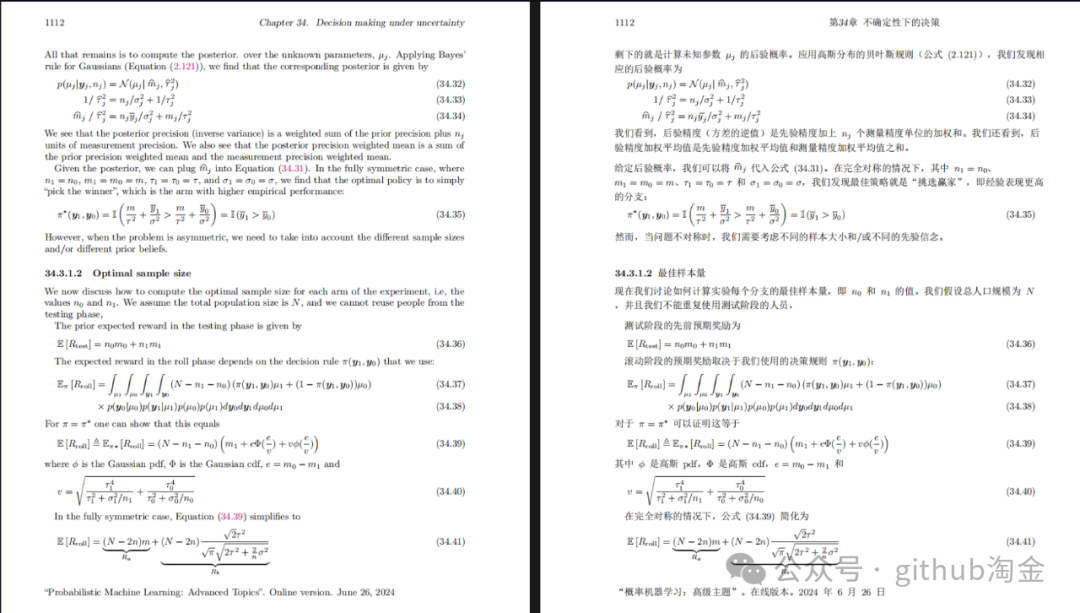
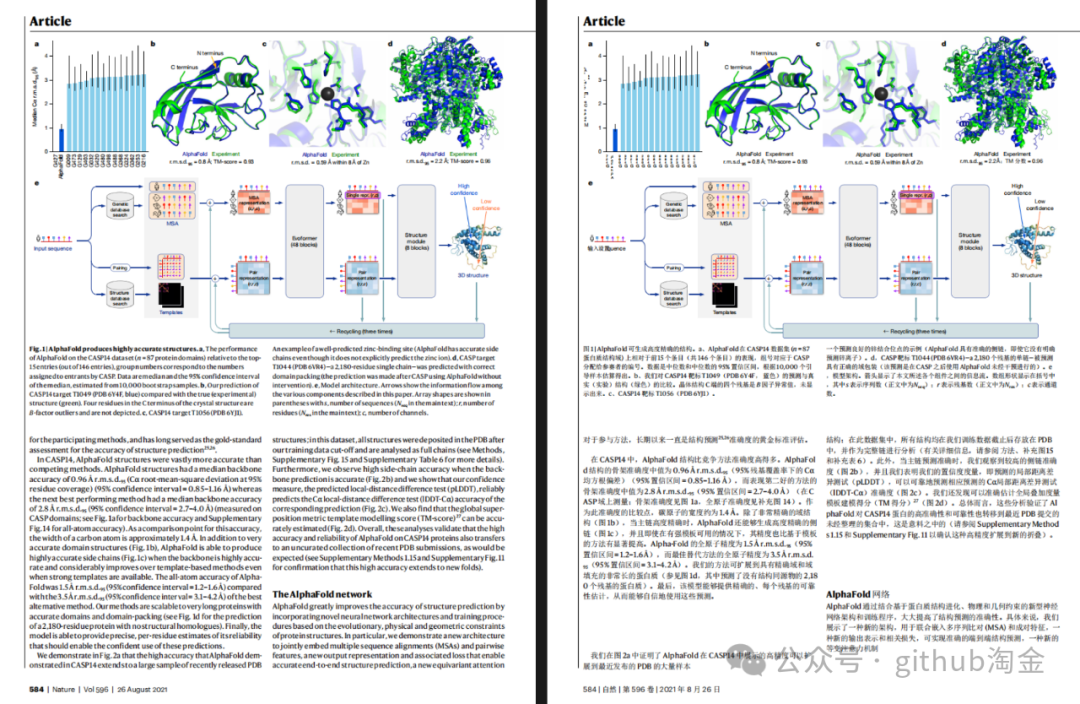
- • PDF document translation with bilingual comparison
- • 📊 Preserve formulas and charts
- • 📄 Preserve searchable table of contents
- • 🌐 Support multiple translation services
Requires Python version >=3.8, <=3.12
Execute translation command in the command line to generate translated document example-zh.pdf and bilingual comparison document example-dual.pdf in the working directory, using Google as the default translation service
Refer to Google Languages Codes, DeepL Languages Codes
Refer to DeepLX
Environment variable build endpoint: {DEEPL_SERVER_URL}/{DEEPL_AUTH_KEY}/translate
- • DEEPL_SERVER_URL (Optional), e.g., export DEEPL_SERVER_URL=https://api.deepl.com
- •
DEEPL_AUTH_KEY, e.g.,export DEEPL_AUTH_KEY=xxx
Reference Ollama
Set environment variable build endpoint: {OLLAMA_HOST}/api/chat
- • OLLAMA_HOST (Optional), e.g., export OLLAMA_HOST=https://localhost:11434
Reference SiliconCloud, Zhipu
Set environment variable build endpoint: {OPENAI_BASE_URL}/chat/completions
- • OPENAI_BASE_URL (Optional), e.g., export OPENAI_BASE_URL=https://api.openai.com/v1
- •
OPENAI_API_KEY, e.g.,export OPENAI_API_KEY=xxx
MANUAL INQUIRY
Need ClaudeCode or GPT recharge help?
Use the inquiry pages for ClaudeCode, GPT recharge, assisted purchase, and team sourcing.
Automatic payment is not configured. Pricing, region support, and timing are confirmed manually.