
MANUAL INQUIRY
Need ClaudeCode or GPT recharge help?
Use the inquiry pages for ClaudeCode, GPT recharge, assisted purchase, and team sourcing.
Automatic payment is not configured. Pricing, region support, and timing are confirmed manually.
原文 —idoubii
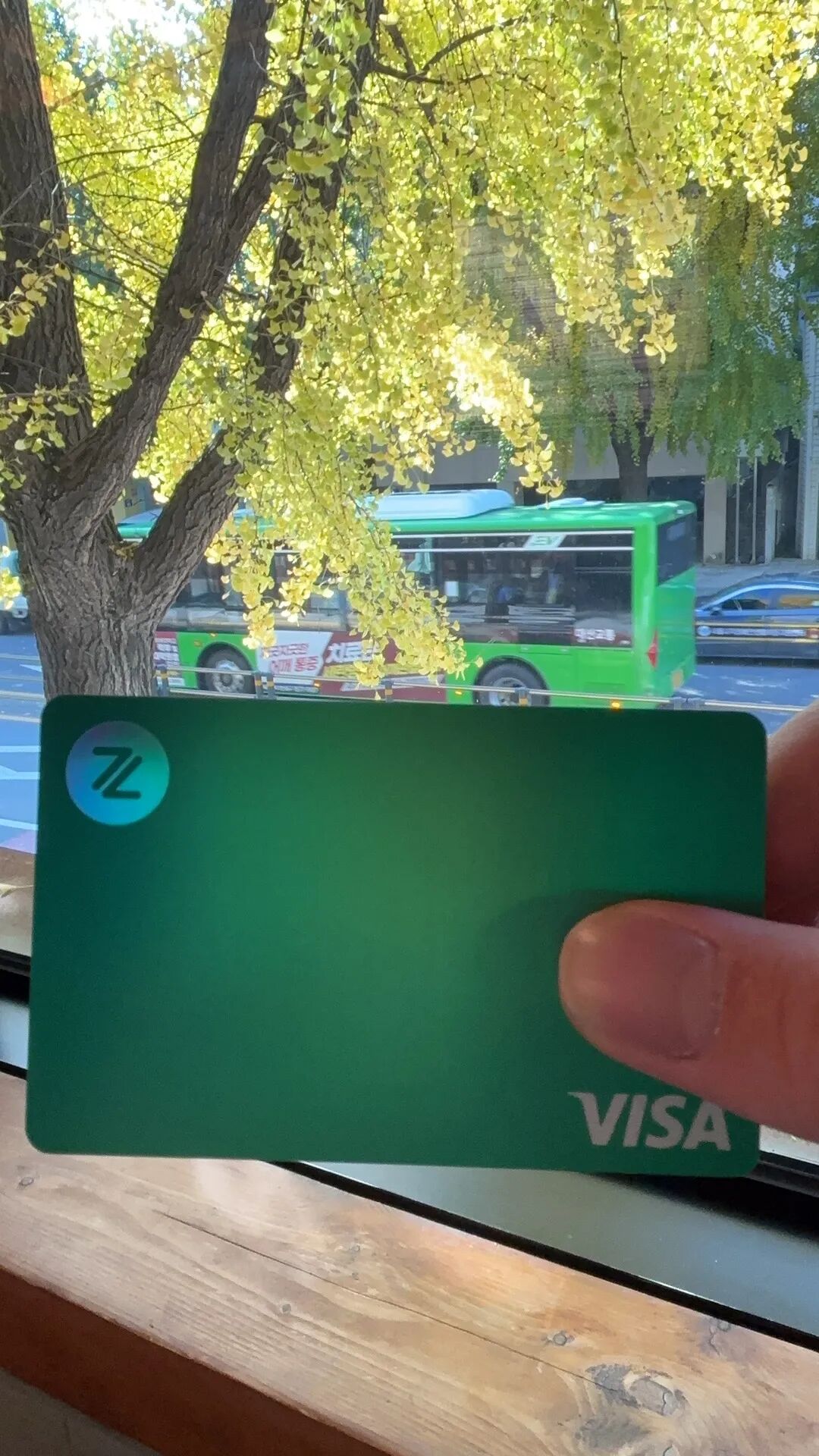
上周去韩国旅游,在首尔吃美食,坐在咖啡店写代码,Coding Anywhere,感觉很棒。

期间消费,用的是一张 ZA Bank 的 VISA 卡,几乎没怎么用现金。
这张卡里的钱,是我做出海 SaaS 产品一年以来的收入。
以前听别人做跨境电商,做出海 SaaS,可以面向全球用户收款,当时觉得很羡慕。
当自己终于跑通了全球收付款的流程之后,逐渐体会到了这里面的快乐。
在裸辞成为自由职业者之前,我副业做过一段时间的小程序业务,对接的微信支付,面向国内用户收款。
做过国内业务的朋友应该清楚,要对互联网产品实现商业化,一般需要注册一个公司主体,然后开通对公银行账户,再开通微信支付 / 支付宝之类的第三方收款渠道。
给自己的业务产品对接第三方支付平台,用户在线支付的钱,进入到微信支付 / 支付宝的商业账户,再提现到公司的对公账户。此为完整的收款流程。
从公司对公账户,以发工资或者借贷的形式,把钱发到员工银行卡,或者转账到法人账户。可以理解为个人对收款资金的消费途径。
With the explosion of AI, domestic filing policies have tightened, making it increasingly difficult to operate domestic businesses. Many people are choosing to go global.
The first step in going global is to solve the problem of accepting payments worldwide. You need an account that can receive payments from users around the globe.
If you're building a global SaaS product, the payment and consumption flow is basically the same as domestic business operations, except the business entity / corporate account / third-party payment platform / withdrawal and transfer targets are different.
Here's a diagram showing the payment / consumption flow for a global SaaS business:
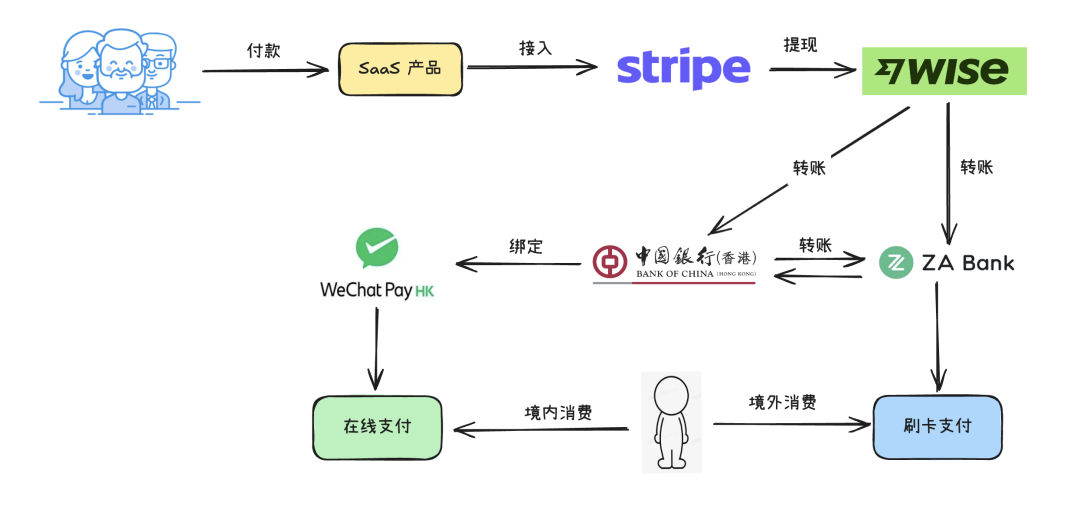
Breaking it down into two core paths:
- How to accept global payments
- How to spend funds in your payment account
Let me walk you through how I got the global payment and collection process up and running.
How to accept global payments
1. Register an overseas company
Before setting up global payment channels, you need to have an overseas entity. There are many ways to establish an overseas entity, and it's more convenient if you're already abroad. If you're in China, you can choose to register through an agency website or use Taobao's registration services.
You can choose the registration location for your overseas entity based on your actual needs. If you don't have specific requirements, you can opt to register a UK or US company.
- Find an agent on Taobao to register a US company
I haven't tried this approach myself, but some friends have gone this route. Find an agent on Taobao, pay around 2,000+ RMB, and in about 2 weeks, you can have a US company registered.
- Use an agency website to self-register a UK company
This is the approach I chose - self-registering a UK company, which is relatively straightforward.
Use the following agency websites to create an account, scan your passport, and complete the entire process online. You'll receive email verification for your documents. Registration costs are in the tens of dollars, and if things go smoothly, it can be completed in just over a week.
https://www.1stformations.co.uk/
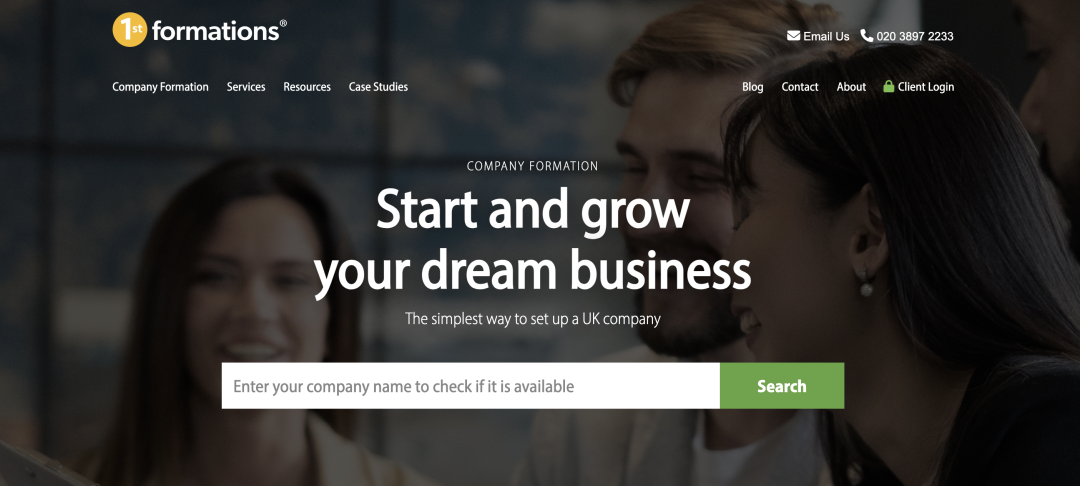
You can follow the instructions on the website to register, or search for registration tutorials.
2. Get an overseas mobile phone card
Many places require overseas phone number verification, so you need to get an overseas mobile phone card that can receive SMS verification normally while in China.
Search for "giffgaff" on Taobao, purchase a UK SIM card, and once it's delivered to your home, activate it on the official website.
https://www.giffgaff.com/
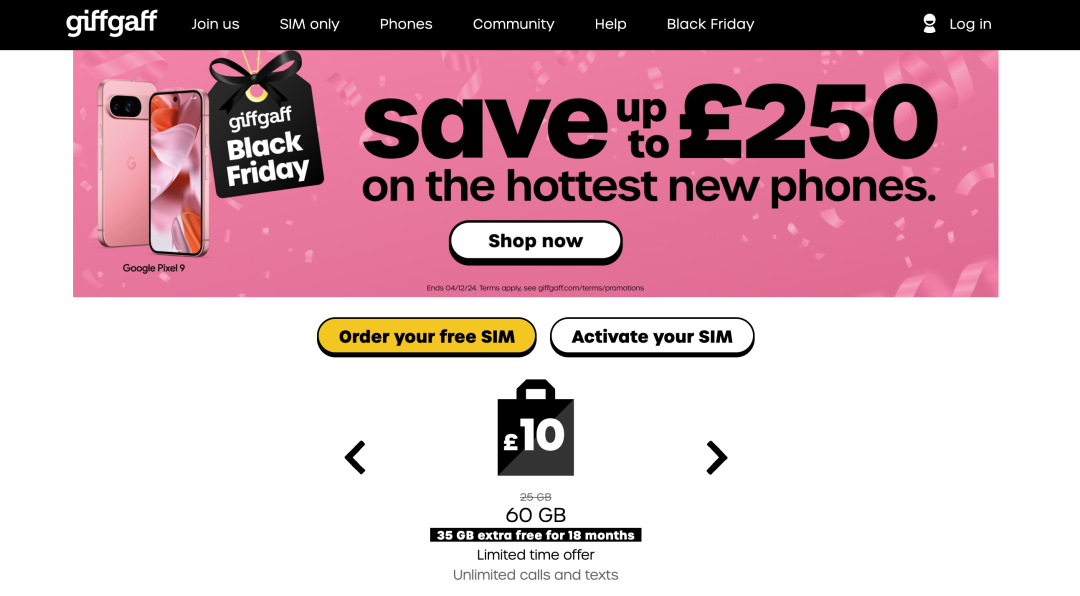
Just buy the cheapest plan on the official website, which costs around £6 per month.
After activation, you'll be able to receive SMS verification codes from various global services while in China.
3. Open an Overseas Bank Account
- Open a Business Account Using Wise
After successfully registering your UK company in Step 1, you'll receive the company registration documents via email, including the company name, registration number, registered address, and other information.
Use this information to apply for a UK bank account on Wise.
https://wise.com/
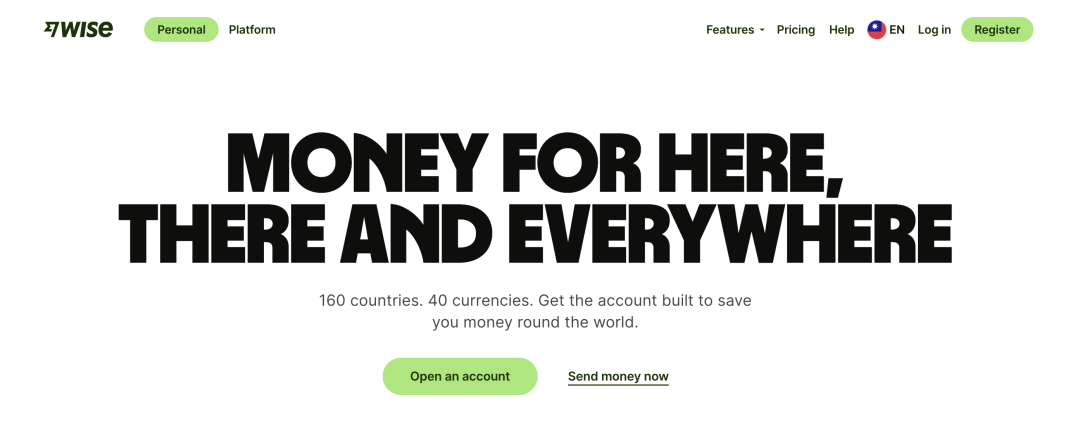
Starting from late 2023, Wise tightened its policies. Opening a business account for a UK company now requires waiting—it took me about a month to get approved for a business account, and it might be even harder now. You'll need to keep trying.
- Open a Business Account Using WorldFirst
If Wise restricts UK company account opening, you can use WorldFirst as a backup option. WorldFirst is an Alibaba product, and opening an account is relatively easier.
https://www.worldfirst.com/uk/
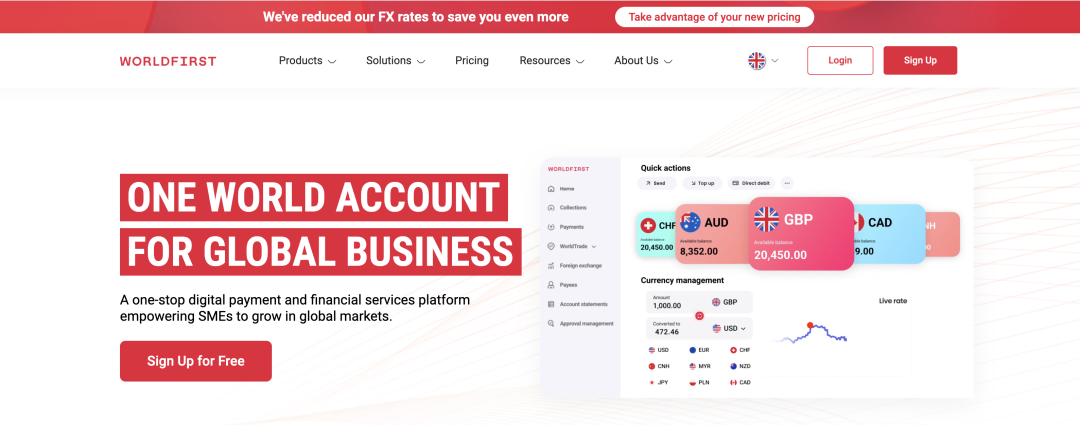
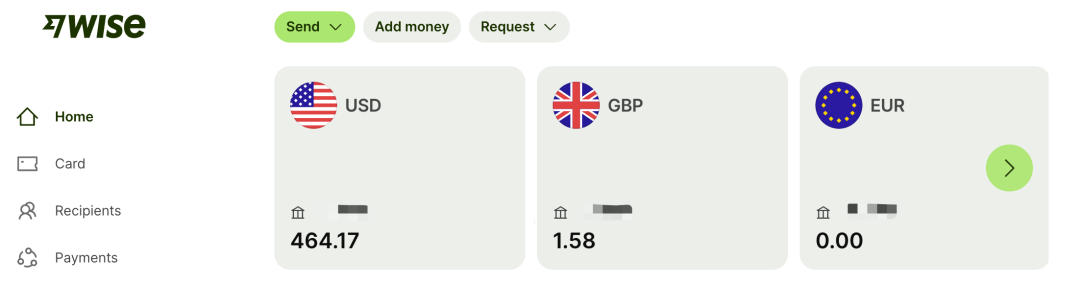
Whether it's Wise or WorldFirst, once successfully set up, your UK company will have a business account. You can choose to open different accounts in different currencies.
For example, you can choose to open a USD account, a GBP account, and a EUR account for receiving foreign currency payments.
4. Set up third-party payment platform merchant accounts
After successfully opening your business account, you can apply for third-party payment platform merchant accounts. Stripe is the top choice.
https://stripe.com/
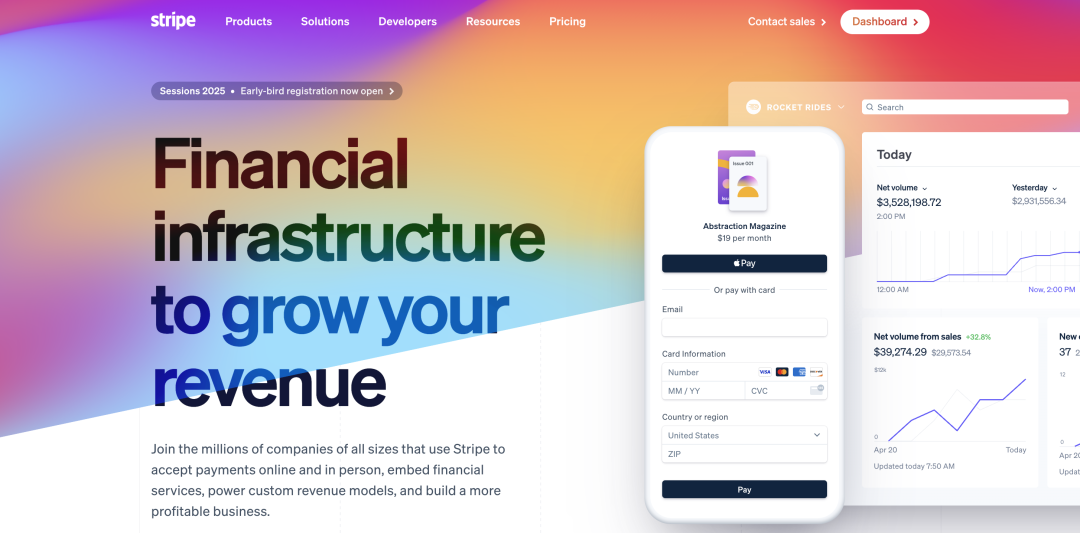
When creating a new merchant on Stripe, you'll need to fill in basic company information, legal representative's name/address, business description, and other details.
A single Stripe account can have multiple merchant accounts, reusing the same entity information. If you have multiple business product lines, you can create multiple Stripe merchants, connecting each product to a separate Stripe merchant to reduce the risk of putting all your eggs in one basket.
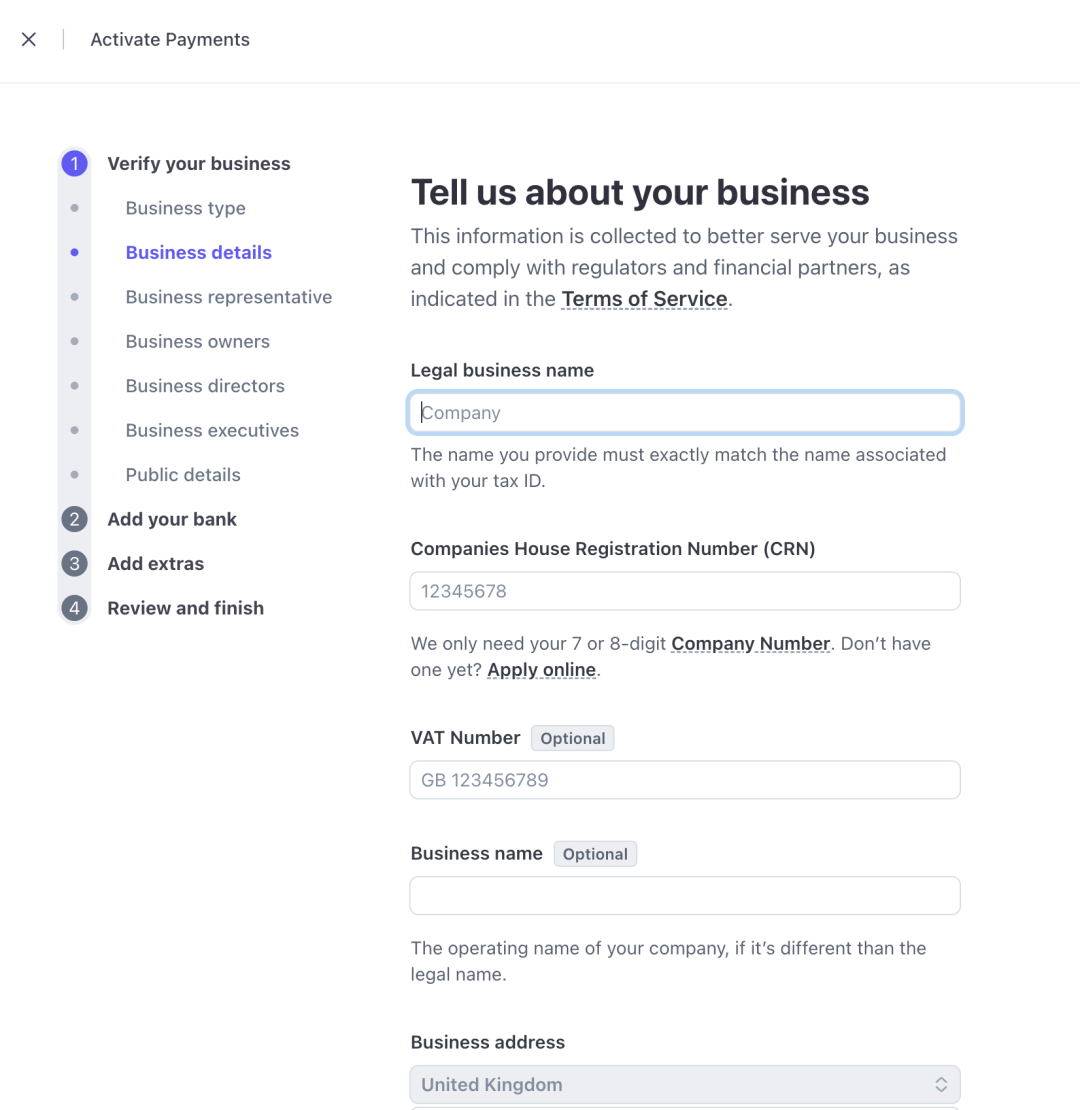
With a company entity and business account in place, creating a Stripe merchant usually gets approved quickly. You might be asked to upload proof of address documents - just use the company's registered address.
Besides Stripe, there are other third-party payment platforms you can consider as alternatives, such as:
- Lemon Squeezy
- Payoneer
- Paddle
Choose the payment platform that suits you, follow the official website instructions, and consider setting up a few extras to have on hand when needed.
5. Accept payments through SaaS products
Through the previous four steps, you've set up your overseas entity and offshore bank account, and you now have a third-party payment platform merchant account for receiving payments.
Next, you can integrate the third-party payment platform's payment API into your SaaS product to accept payments from users worldwide.
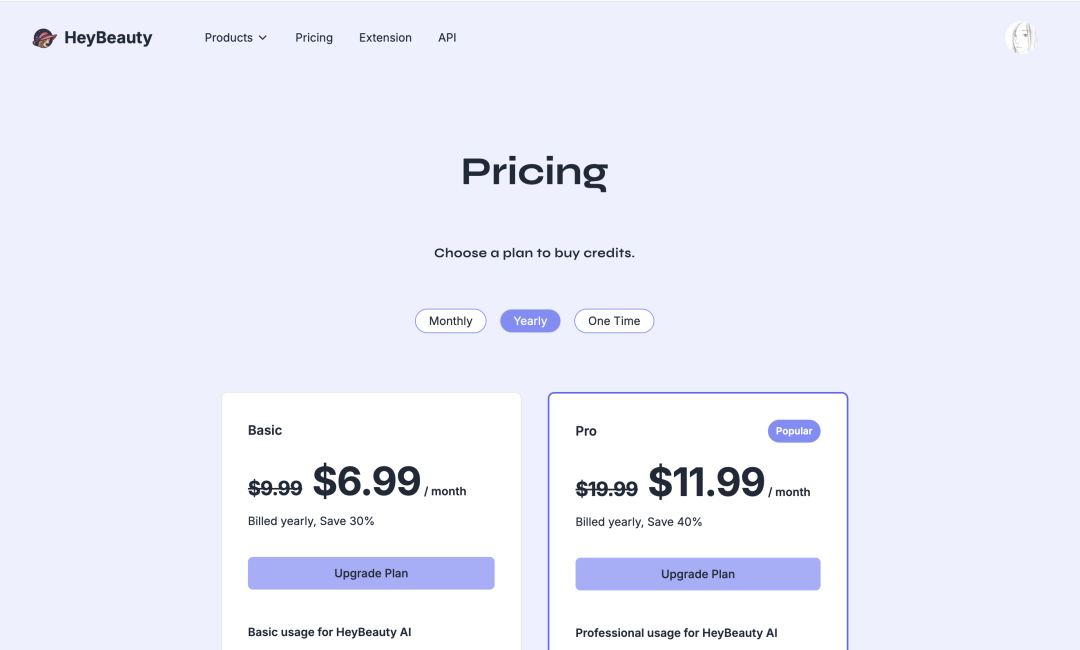
For a web-based SaaS product to collect payments from users, you'll typically create a Pricing page that lists several paid plans and their corresponding benefits. If users find value in your service, they'll choose to purchase a paid subscription.
Stripe supports subscription payment models where users enter their credit card information to subscribe to the service, with automatic charges on the billing date each month—similar to domestic services like Xiaomi TV memberships with monthly auto-renewal and password-free deduction.
However, the threshold for enabling password-free auto-deduction with WeChat Pay is extremely high, while Stripe makes it much simpler.
In your SaaS product, prioritize monthly/annual subscription payment plans, as this can effectively increase revenue (compared to one-time payments).
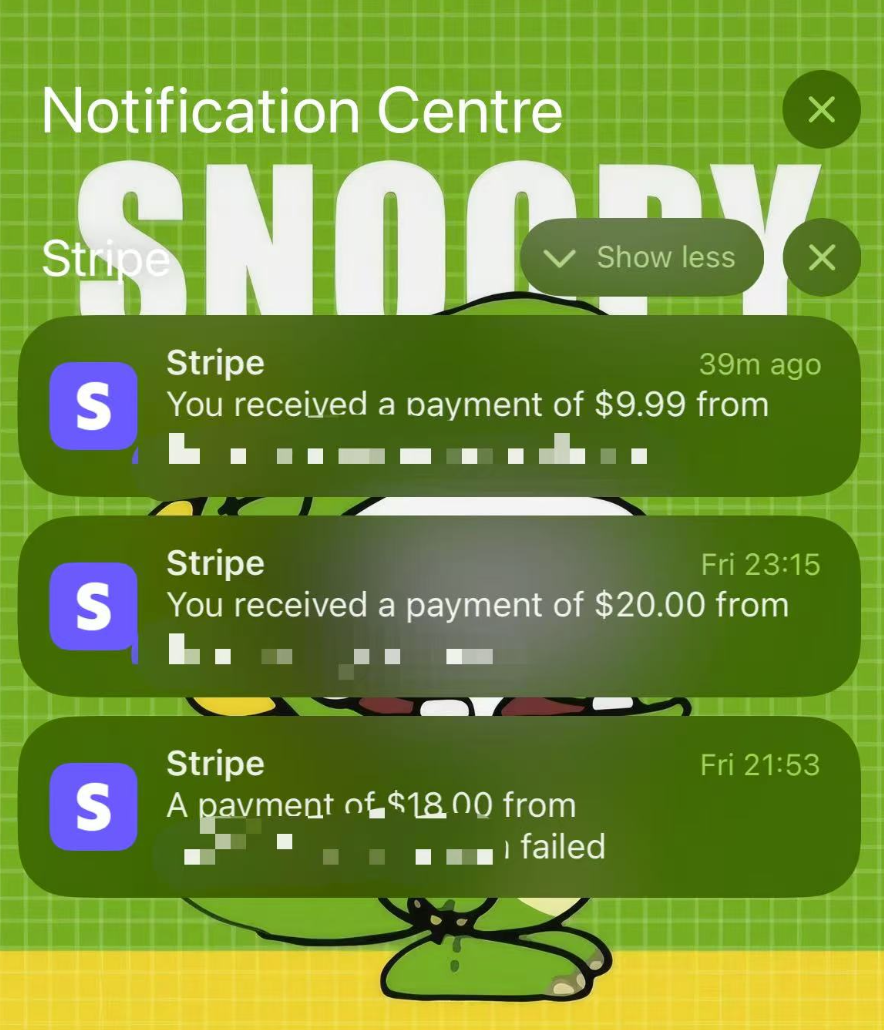
Download the Stripe mobile app and enable notifications. Whenever a user makes a payment in your SaaS product, you'll receive a notification.
6. Withdrawing Funds
After using the third-party payment platform to collect payments for a period of time, you'll accumulate funds in your third-party payment merchant account.
You can choose to withdraw funds to your offshore bank account. You'll typically need to select the withdrawal currency and set up automatic withdrawals by schedule/amount, or withdraw manually.
The third-party platform will transfer funds to your company's corporate bank account after deducting certain processing fees. This process involves cross-border transfers, currency exchange/clearing procedures, and takes a bit of time—typically 3-5 business days before the withdrawn funds arrive in your account. You can check your account balance and withdrawal records on the Wise web version.
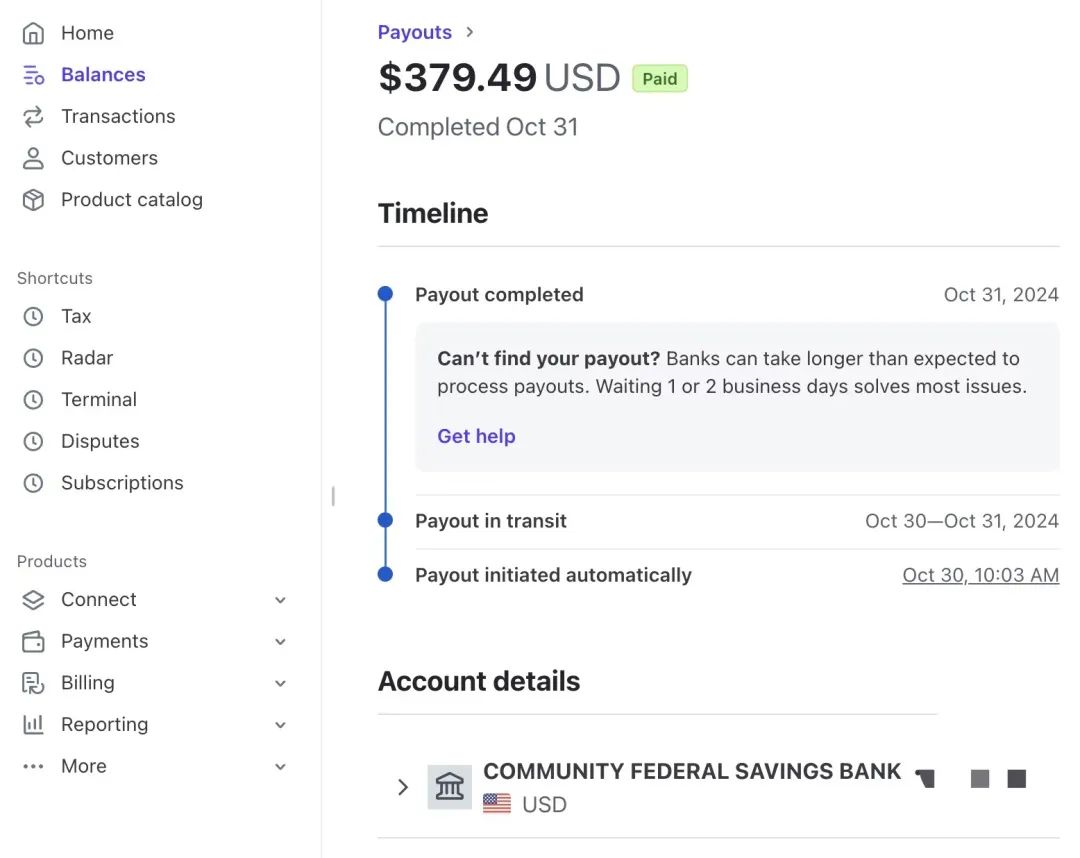
At this point, the global payment collection process is complete. You can now run your SaaS business, target the global market, find your target users, get them to love your product, and have them pay for it.
All revenue will flow into your offshore corporate bank account.
How to Spend Funds in Your Payment Collection Account
The previous steps covered the complete global payment collection process. If your business goes well, your offshore corporate bank account will accumulate some funds.
Next, you can consider how to spend these funds.
There are many ways to spend them, with the most common options being:
- Use the money in your offshore corporate bank account to purchase goods/services
- Transfer money from your offshore corporate account to an offshore personal account for spending abroad
- Transfer money from your offshore corporate account to an offshore personal account, link it to WeChat Pay, and spend it domestically
- Money from an offshore corporate account, transferred to an offshore personal account, then to a domestic personal account, for domestic consumption
1. Use money from an offshore corporate bank account to purchase goods/services
Besides opening corporate business accounts, Wise also supports opening personal accounts.
Corporate Wise accounts can issue multiple physical or digital cards for legal representatives or team members.
Digital cards can be directly linked to Apple Wallet for spending, or used for online payments of SaaS products, such as ChatGPT/Claude membership subscriptions.
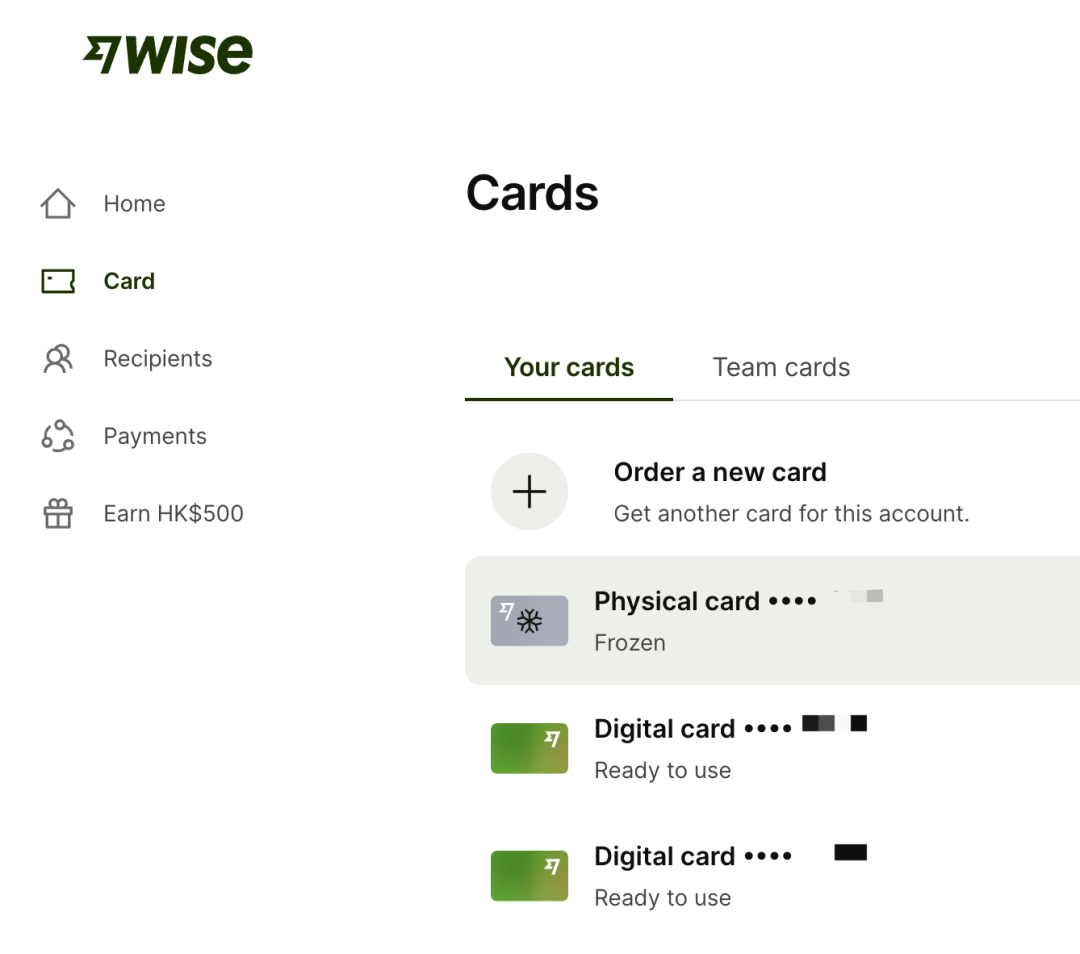
I applied for a Wise physical card to be mailed, but never received it. However, I've been using Wise digital cards to pay for commonly used offshore services, like OpenRouter/Serper.
For some SaaS business expenses, paying through digital cards deducts directly from the Wise corporate account, eliminating the hassle of transfers in and out.
2. Transfer money from offshore corporate account to offshore personal account for offshore consumption
For scenarios like overseas travel, we might want to transfer money from an offshore corporate account to a personal bank card for direct offline spending abroad.
First, you need to apply for an offshore personal bank card. Here are three recommended options:
- Oversea-Chinese Banking Corporation (OCBC) Singapore
While in mainland China, download the OCBC banking app and apply online. You can open a personal bank account within a week. You can choose to have a physical card mailed, but domestic delivery uses regular mail and you might not receive it.
I still haven't received my OCBC physical card, but it doesn't affect online spending within the OCBC app.
- Bank of China (Hong Kong) (BOCHK)
You need to go to Hong Kong to open an account. If you go to a bank branch, you'll need to prepare various documents, such as Futu investment records, bank statements, etc., and there's a chance your application could be rejected. (I was rejected at a Bank of China Hong Kong branch in September)
A more reliable approach is to be physically in Hong Kong, connect to Hong Kong WiFi, download the BOCHK app, apply online, and quickly open a personal bank account.
Then go to a branch to add your signature, and you can use it normally.
At the branch, ask them to change the physical card delivery method to registered mail. (Even with the changed delivery method, you might still not receive the physical card in mainland China. I still haven't received mine T_T, but it doesn't affect using the bank account)
- ZA Bank
The application is quite simple. While in Hong Kong, connect to Hong Kong WiFi, download the ZA Bank app, apply online, and quickly open a personal bank account.
Apply for a physical card in the app, and you'll receive it in about three days within mainland China.
Besides the three options above, some friends also go to Hong Kong to open HSBC bank accounts. I haven't tried this myself, so I won't elaborate further.
If possible, it's recommended to open accounts with multiple banks for future use.
Any of the bank accounts mentioned above can receive transfers from Wise business accounts. Wise will automatically handle currency exchange, deduct certain fees, and the funds will arrive in real-time.
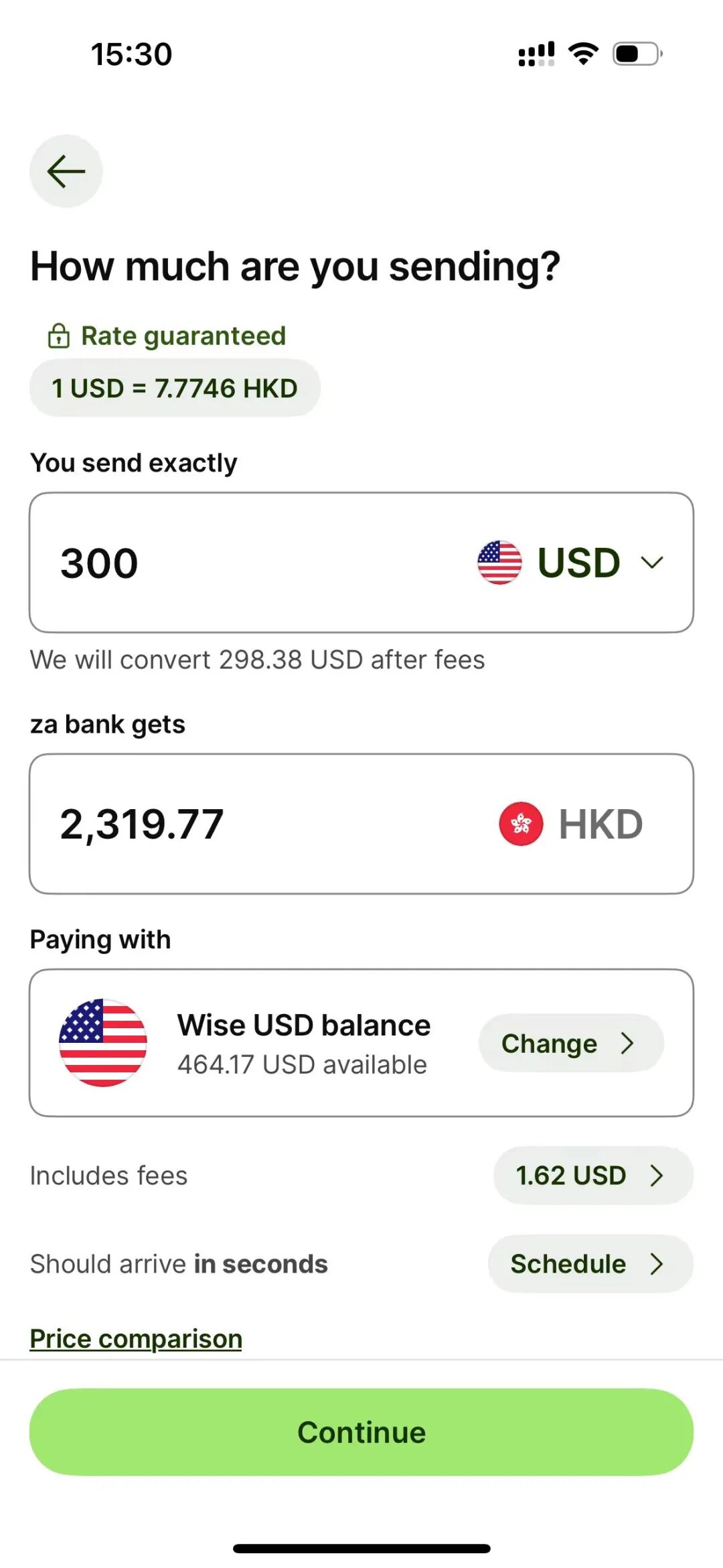
The overseas bank accounts opened above can be used for online payments of various SaaS products. You can also use the physical card for purchases - both card payments and ATM withdrawals are supported.
If using the ZA Bank physical card for purchases overseas, you need to enable the overseas travel option in the ZA Bank app.
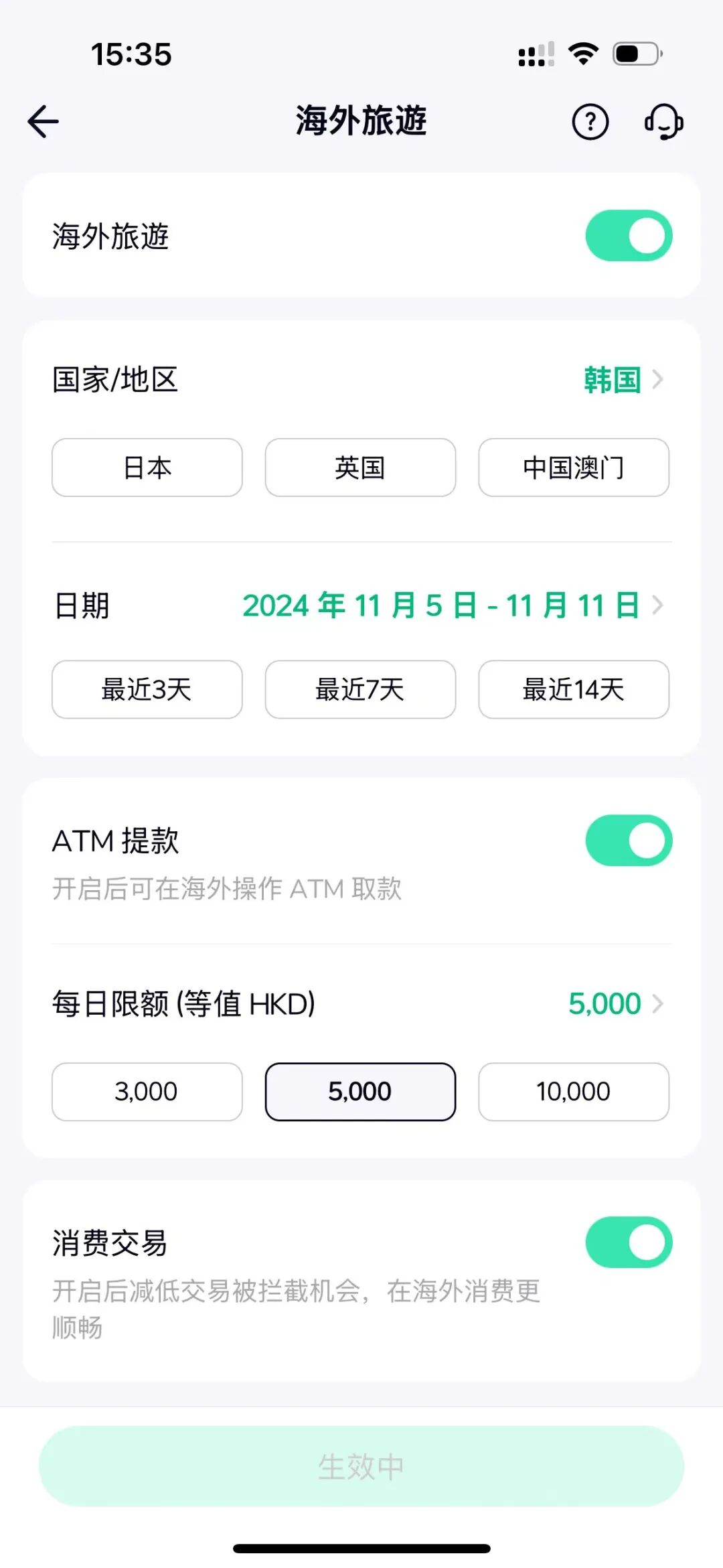
3. Transfer money from overseas business account to overseas personal account, link to WeChat Pay, and spend within mainland China
Credit card payments are the norm overseas, while in mainland China people prefer WeChat/Alipay payments.
If you prefer using WeChat Pay, you can search for "Hong Kong Wallet Activation" in WeChat's search box, enter the self-service activation page, select "Link Hong Kong-issued bank account," and link the Bank of China (Hong Kong) card opened above to activate the Hong Kong wallet.
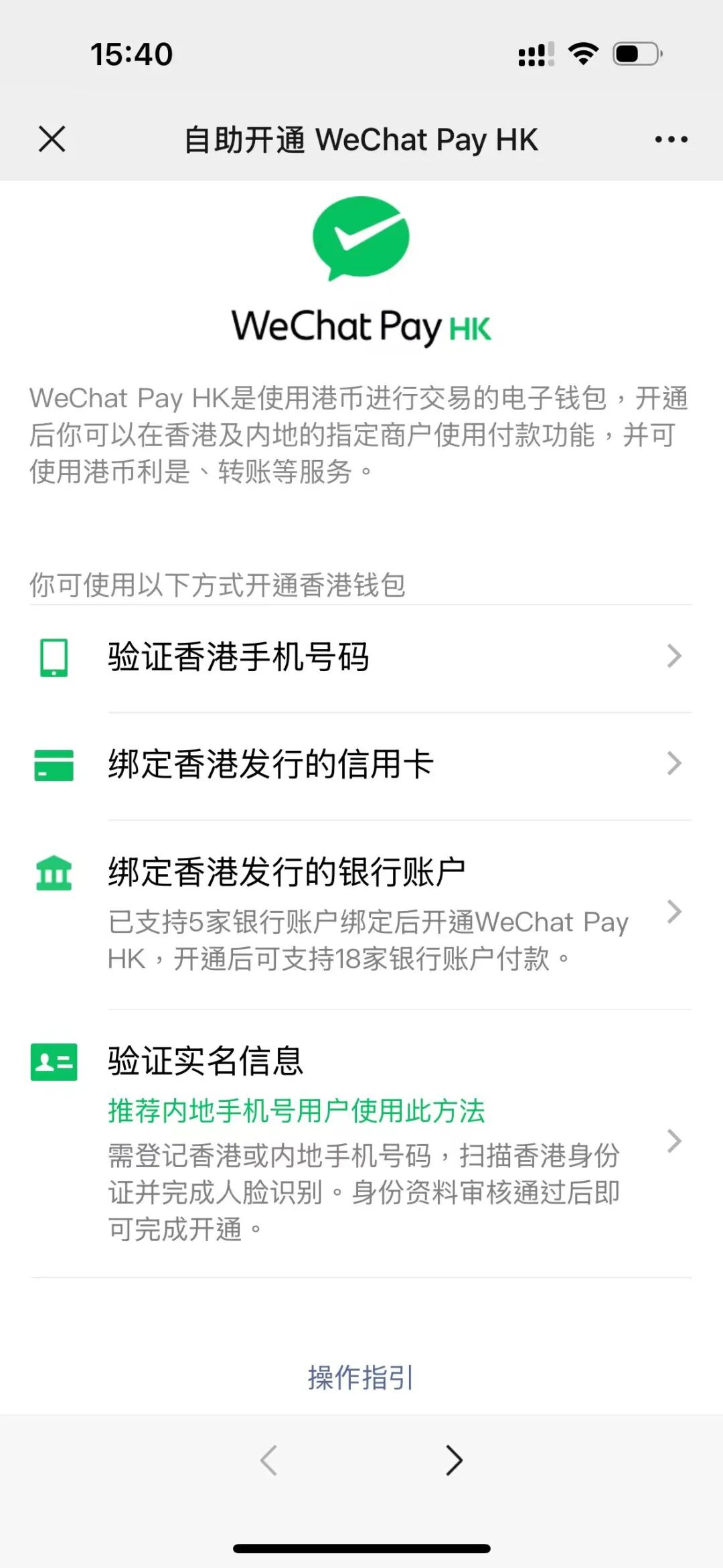
On the WeChat Pay service page, switch wallet regions and select "Hong Kong Wallet." This can be used for payments in common scenarios, such as purchasing flight/train tickets online, ordering takeout on Meituan, getting coffee at Luckin, etc. The Hong Kong wallet supports most spending scenarios within mainland China.
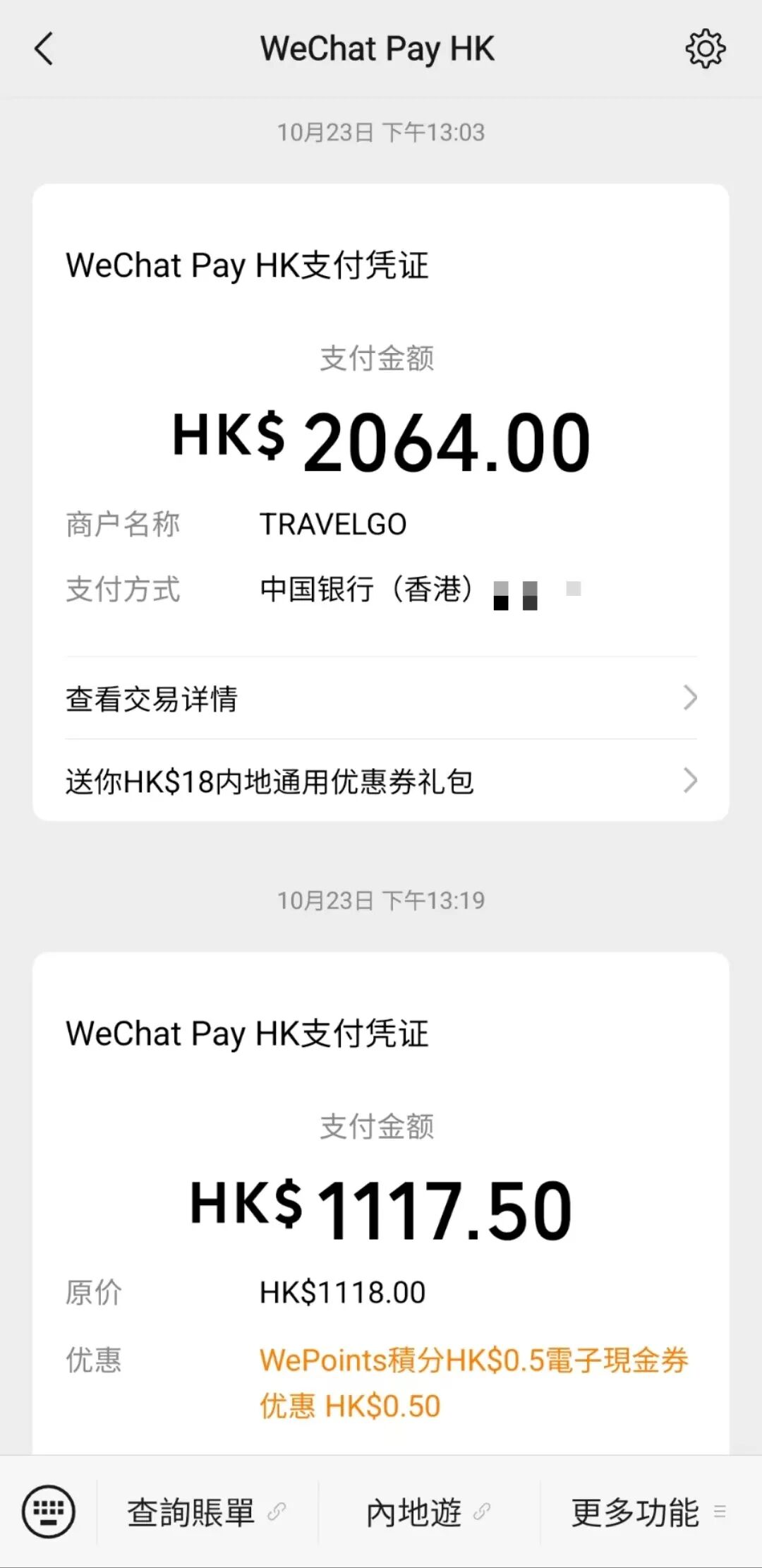
One slight downside is that linking the Hong Kong Wallet to ZA Bank requires verification with a Hong Kong ID card. If we don't have a Hong Kong ID, we can only link a Bank of China (Hong Kong) card, then transfer money from ZA Bank to the Bank of China (Hong Kong) card, and use the Hong Kong Wallet for WeChat purchases.
4. Transfer money from an offshore corporate account to an offshore personal account, then to a domestic personal account for domestic spending
Some people might have this kind of need - they want to use a domestic bank card for mortgage payments and need to transfer money from their offshore personal account to a domestic bank card.
I haven't tried this approach myself, but I see in the Bank of China (Hong Kong) app there's a "BOC Express Remittance" feature that allows transfers to domestic bank cards. There's also an "Easy Account Opening" feature that supports remittances to Bank of China accounts under the same name within Guangdong Province.
If using ZA Bank or other Hong Kong bank accounts, you can use products like "Panda Remit" to send money to domestic bank cards.
Those who need this can give it a try themselves.
How to pay for offshore products without an offshore bank account
If you don't have an offshore bank account yet but need to pay for products like ChatGPT / Claude to subscribe to their membership services.
You can choose to apply for a virtual credit card.
I recommend using the WildCard product, which not only supports virtual credit cards but also provides virtual phone numbers for receiving verification texts, as well as a secure network environment to handle risk control issues.
You can use my referral link:
https://bewildcard.com/i/IDOUBI
Sign up for WildCard service, apply for a virtual credit card, top up with Alipay, and then you can pay for various overseas SaaS products.
Summary
Through this article, I've shared my complete process over the past year of running an overseas SaaS business, from global payment collection to global spending. I've hit quite a few bumps along the way, but also gained valuable experience that I hope will help friends who are about to start their own global ventures.
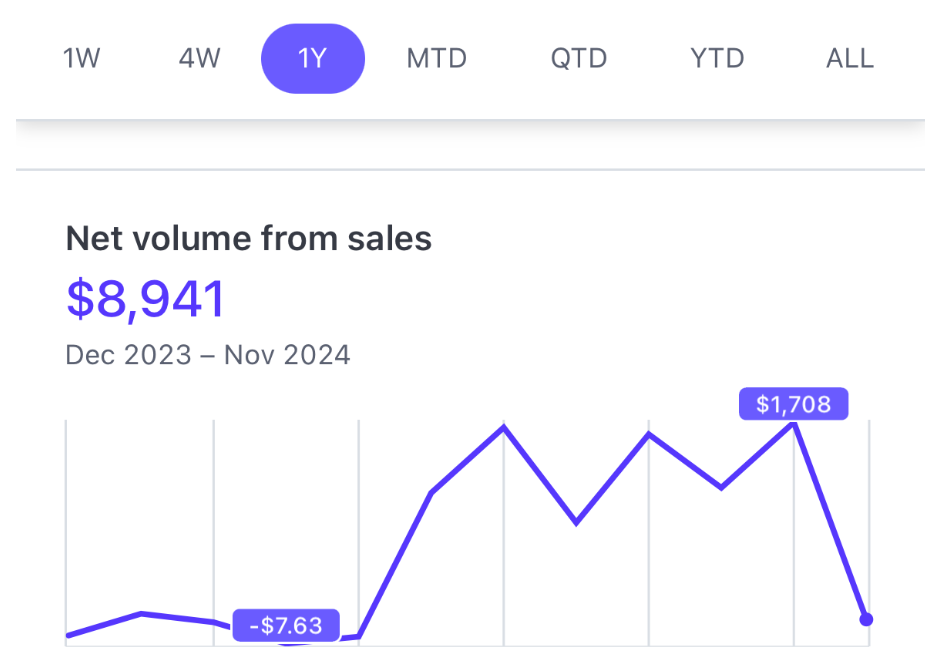
In the spirit of Building in Public, here's an update on my SaaS revenue over the past year.
Total revenue for the year is just under $10,000.
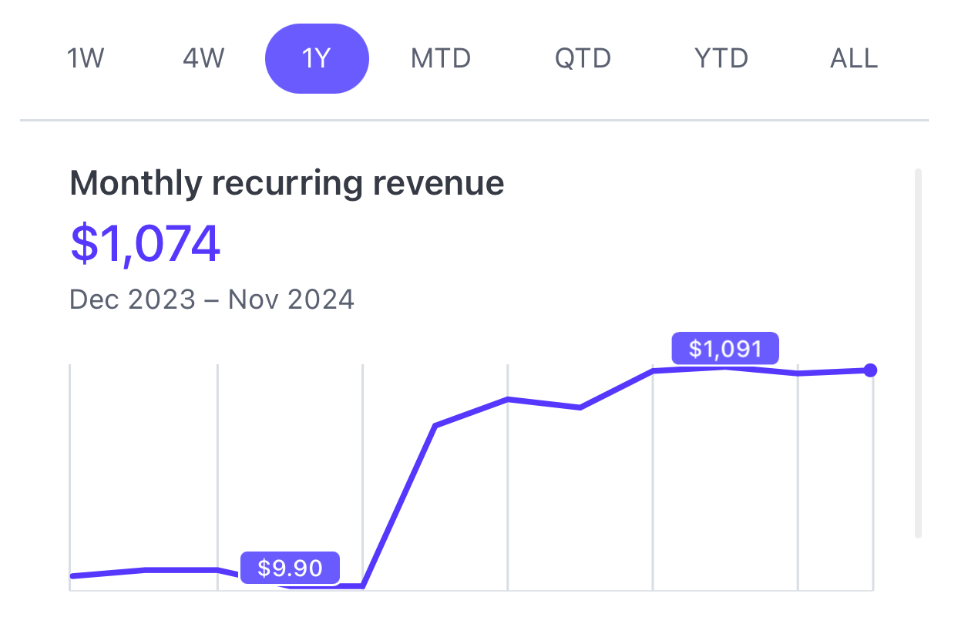
MRR (Monthly Recurring Revenue) recently crossed $1,000.
When I was working on ThinkAny before, costs were particularly high. For a while, token consumption and server traffic were being paid with my domestic personal credit card. The money in my overseas payment account was pure revenue that didn't cover expenses, so factoring in costs, I didn't really make money—the year ended break-even overall.
While my revenue is modest compared to other friends doing global business, for me personally, it's a first step into the international market. I've closed the loop on payment collection and spending, accumulated a lot of knowledge, and gained confidence in the global business.
Moving forward, I'll keep optimizing my SaaS product, finding my target users, and working toward revenue growth, aiming to hit that $10,000 MRR milestone.
MANUAL INQUIRY
Need ClaudeCode or GPT recharge help?
Use the inquiry pages for ClaudeCode, GPT recharge, assisted purchase, and team sourcing.
Automatic payment is not configured. Pricing, region support, and timing are confirmed manually.